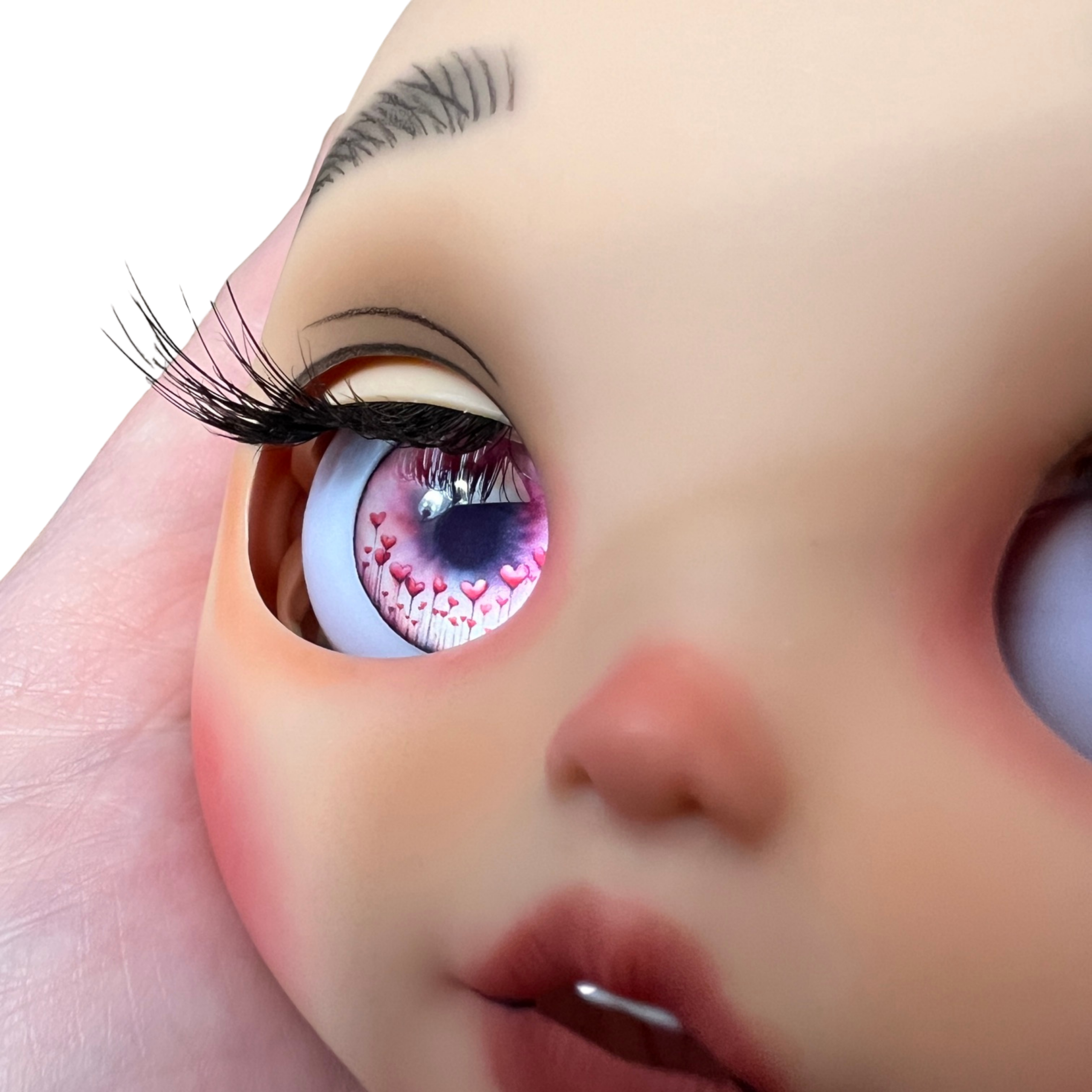
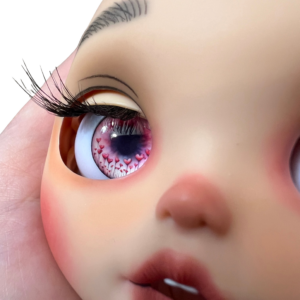
Hi there! Let’s talk a bit about metallic doll eyes for Blythe, BJD, OOAK and Reborn dolls! You’ve seen it yourself probably for years, that luminous 3D glow that metallic eyes have, it really is quite stunning. I’ve mainly seen eye chips for Blythe using the metallic paper, but often it’s stuck under glass cabochons or resin stickers…both of which I personally don’t care for. There is nothing wrong with glass or the stickers, I just like a more cohesive and higher quality looking eye, especially when it comes to my own designs.
What’s My Problem with Glass Cabochons?
It’s very hard to source consistent quality and correct size glass cabochons for Blythe. Too thick, they don’t function well in the eye mech, too thin, they sit too deep. Too large or defects affecting shape can also cause issues. They scratch easily, and there is no way to repair them as easily. Photo papers like to peel away from glass and the entire process takes much more time. I honestly feel it’s not worth it for the end result you get. They are also much heavier, causing more wear and tear on your eye mechanism.
What’s My Problem with Resin Stickers?
Finding a resin sticker that is the proper size and fits both GSC Neo Blythe and TBL/AliExpress dolls is difficult. Most stickers get dull and lifeless easily, are soft and dent/scratch easily, flimsy, and just don’t have the same quality look as resin. Glass cabochons honestly look better than resin stickers, just sayin. My other issue with resin stickers is the application. If you don’t get them straight and right onto your print the first time, you’re done. Game over. You have to start all over again with a fresh print, leading to frustration and costly waste. I have never found any resin stickers that have ever looked really decent once attached to prints. The adhesion might be better on metallic paper due to the super smooth high gloss surface, but if you are using any other type of paper with any tooth or texture to it at all, good luck lol. I also print my designs slightly smaller than 14mm for a better fit, and if the “lens” or “dome” is a rigid pre-determined shape and size (like a resin sticker or glass cabochon) I lose the ability to custom fit my eyes.
The Major Challenge is the Print Quality
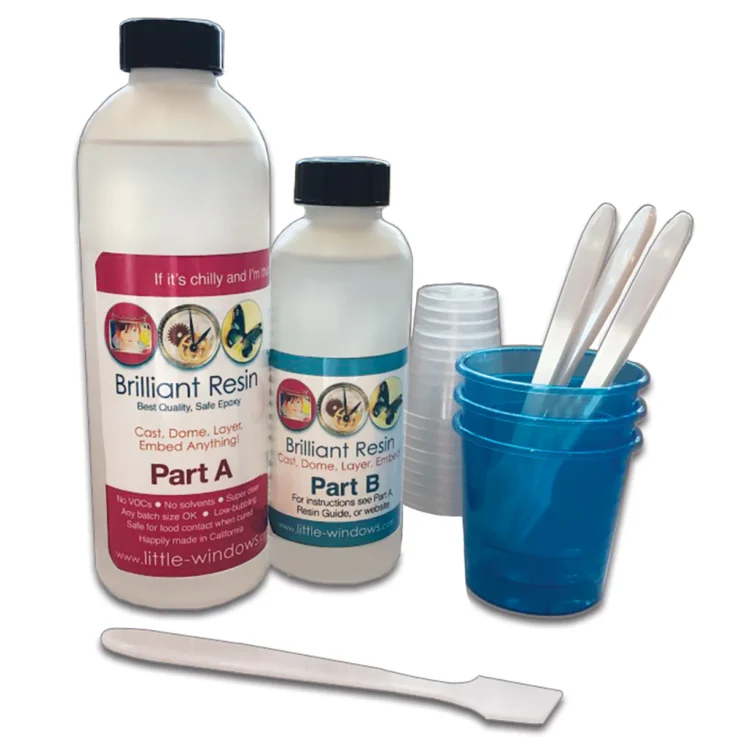
I work hard on my designs, and I want my prints to show this. I create my designs at 720 ppi because to me, at this smaller scale, 300-600 is just not good enough resolution. For years now, I’ve outsourced my designs to Little-Windows.com for their exceptional high resolution printing service (link below in footer for those interested). For smaller scale prints such as those needed for Blythe eye chips (14mm) and even smaller sizes, you cannot skimp here, or your results will show it. I’ve seen so many artists have lovely designs and when put under resin, they are grainy, pixelated, and all the fine detail is lost because they are printing themselves on low-end “basic quality” printers. When I print my own designs using my Canon G3260, the prints are simply “okay”. For instance, take a closer peak at that image above in this article and really look at it with a critical eye. That is on my G3260, and you can see even though it looks “okay”, it’s still not as high res as it could be. Most lower cost printers also do not have a “True Black” for photo printing, but instead make a composite black that looks washed out, dull, and totally ruins the look of most eye designs.
The most immediate solution to these limitations was the printing services of Little-Windows. I still suggest anyone who wants to seriously up their digital eye making game to consider outsourcing your printing to this “dedicated to the resin art community” business. They know what we are looking for in terms of small scale high resolution prints, and they DELIVER. Even the paper they use is specifically intended for use with RESIN.
However, there are currently only two Metallic photo papers that I’ve tested that honestly does work the best (in my opinion), and that is the Epson Metallic Photo Paper and the Red River Polar Gloss Metallic. Unfortunately, if I want to use these papers, I will need to print my designs myself.
With all that being said, now let’s enter the realm of printers.
Printers and the High Costs and Risks of Quality
You would think finding a high quality photo printer would be a piece of cake in 2026, right? Well, I’m here to tell you, it’s not. After weeks of scouring the internet, asking Claude for advice to help me with statistical cost, performance, and quality comparisons, I’ve narrowed it down to 4 potential printers. Unfortunately each printer has it’s own fair share of negative reviews regarding after-sales and warranty issues.
I’m not saying people don’t or can’t have positive experiences with these companies, I’m just saying there is enough trash talk going on that’s worth paying attention to. Yes, it’s true, a lot of times it’s lack of experience and end-user “error” that creates issues for folks, but when I see people saying they are basically being told to go pound sand, after investing $1000 or more in a printer in just a year’s time, that’s a reason to raise an eyebrow.
Epson P900
The first printer is the Epson P900. I feel it’s a bit overkill for what I need, but it checks off a LOT of the boxes. It has pigment inks (not dyes) which means it’s archival and prints in higher resolution than dyes due to the lower “spread” it has on photo papers. Piezo heads, Ultrachrome HD pigment ink across all channels, dedicated photo black that auto fires in photo printing mode etc… however, this printer carries a hefty price tag of around $1300 and the ink comes in highly expensive cartridges, additionally adding more to overhead costs. They are higher capacity, but just a set of these can cost upwards of $500 or more, and the printer does NOT come with these high capacity cartridges, only “starters”.
Epson ET 8500
The second printer, is the Epson ET 8500, which honestly, feels like it might be the best choice. It also has piezo heads, and a dedicated black for photo printing. However, it does not pigment inks across all channels, it is a dye ink system with a black pigment. Not such a big deal considering eyes go under resin which has UV blocking stabilizers, and won’t be hanging on a wall, but instead inside of a (hopefully) well protected doll, away from direct sunlight.
I have seen where this printer can use “aftermarket” pigment inks, but this of course will nullify warranty if you choose to use a different brand/type of ink. I don’t print anything larger than 8.5×11, so for me it’s also the perfect size printer for my needs as well, and the price is much more affordable, around $600.
The rather huge plus for this printer, is that it is an Eco Tank, meaning the ink will last a very, very, very long time. The resolution is also nice and high, actually matching the same resolution that is supported by the P900!
5760 x 1440 dpi! Score!
Canon PIXMA MegaTank G620
The third printer is the Canon PIXMA MegaTank G620. This one is a very budget friendly option, but I’m not sure if the lower price is worth the potential for unsatisfactory results due to it being a “budget” printer. Reviews are highly mixed on this one, but, it does check off quite a few boxes for it’s roughly $300 price tag. Dedicated black channel for printing, Eco Tank, not as high of a resolution as the higher priced printers (4800 x 1200 dpi) but not bad for printing capability on a budget.
Canon PIXMA PRO-200S
The fourth and final printer I’ve considered is the Canon PIXMA PRO-200S. This printer is around $600, roughly the same as the ET 8500. Reviews seem to be pretty good for this printer when looking at multiple seller ratings online. It has a dedicated black channel, high resolution printing capability, but unfortunately has a dye based ink cartridge setup which I really don’t like. I will always prefer Eco Tanks over cartridges for many reasons. The Canon PROGRAF PRO-300 was a close runner up, due to it’s pigment inks, but I just didn’t feel the $300 price difference offered enough to really warrant it for my specific needs. It also has barely higher print resolution than the Canon G620 at 4800 x 2400 dpi.
Paper Compatibility
One of the other things to be cautious of, is paper compatibility. The Epson Metallic paper has very specific instructions stating there are only certain printers where the paper has been tested and otherwise “approved” to work with. We all know that you can usually use different types of papers with different types of printers, but in the case of this Metallic Paper, it says that it is only tested to work with pigment inks, not dyed based. So, I called Epson and asked them specifically about this and if it would be a concern for me as someone who wants to purchase the ET-8500 and use the Epson Metallic paper. I personally don’t think it would be an issue, because my Canon G3260 is a dye based inkjet photo printer (with the exception of the pigment black for text), and it prints just fine on this paper. If I can get that out of my low budget Canon, then I would like to think that a much higher end Epson printer would be able to do the same, especially on their own brand paper.
However, that is yet to be determined, and it seems the only way to know for sure, is to test it myself!
Warranty & After-Sales Raise Big Concerns for Small Businesses
Regardless if I drop $1300 or less on a printer, the last thing I want to deal with is fighting over warranty with someone overseas who could care less about my business. I mean, let’s face it, once they have your money, they really have nothing else to gain from helping you if or when things go wrong. And have you ever actually READ Epson’s “Extended” service plan’s fine print??? Everything is left up to their discretion, and they don’t even guarantee replacement if something goes wrong, yet they charge hundreds for this “peace of mind” extended service. The return window is conveniently always just long enough to get you to the point where if something goes wrong, you are out of luck. Reviews are literally all over the place with both Epson and Canon in terms of customer service, technical support, and warranties. It makes it all that more scary to invest in something when you can’t even pay for true peace of mind, or depend on that additional investment. For larger businesses, I can see where this would not be as big of a risk, I mean what is $600 – $1300 to someone if they make that in a single day? But for those of us who don’t have these larger budgets, this can be a much bigger risk.
How I Plan to Do This
Personally, I have a lot of equipment that I use in my studio daily. Everything from Airbrushes and 3D Printers, to Mac and PC. Purchasing this printer is not that big of a deal at the end of the day, but it is still an investment, and it still requires thought and a proactive approach so that I’m not just potentially throwing money out of the window. I’ve really enjoyed outsourcing my printing to Little-Windows because it has always offered me peace of mind, and I knew I would always get the absolute highest quality prints from a trusted source that I could depend on. Investing in a printer, up to this point, has not really been a necessity, so I’ve put it off. Now that I see a genuine purpose and reason to invest in a printer, I feel that I need to take all things into consideration, and be very methodical of how I chose to do this.
I feel that the ET 8500 is the clear winner here for me. I plan to purchase this printer, using my business credit card, so that if there is an issue, I have more buyer protection than if I were to use my debit card. I will only buy direct from the manufacturer to ensure the validity of my warranty and remove any “middle-man” nonsense. I’ll immediately start testing the printer. I won’t wait to open it, because the moment I purchase it, the timer on the clock starts ticking for the manufacturer warranty. I will make sure I print at least one photo per week to keep the print heads from seizing, which is the reason MANY of these printers have issues. Unlike Canon, that usually have thermal print heads, Epson’s do not. Meaning they are more prone to clogging. I will be sure to do nothing that will nullify my warranty, and I’m going to print daily out of the printer to make sure I get my money’s worth of prints during it’s warranty coverage period. That way, even if it fails after warranty, I’ll have enough prints to last me well beyond my initial investment in the printer.
I’m still not sure if I will purchase an extended service plan or additional warranty, I’ll have to see what my gut instinct tells me to do at checkout. To be honest, the way these plans are written, it really seems like a toss of a coin as to whether or not it would pay off.
I will have more to share once I receive the printer, and I promise to share my experience and results once I do. Like always, I will be sure to keep it real and honest. Stay tuned!